 OpBuildX Uploader
Features
Everything OpBuildX Uploader does, and nothing it doesn’t.
OpBuildX Uploader is a focused tool. It connects your own TikTok account through TikTok’s official sign-in, shows you which account is connected, and sends the videos you choose to that account’s TikTok inbox. The features below describe the dashboard at site.opbuildx.com as it works today.
What you can do
Secure TikTok sign-in
Connect with TikTok Login Kit (OAuth). You approve access on TikTok’s own page, and OpBuildX never receives your TikTok password.
Connected account display
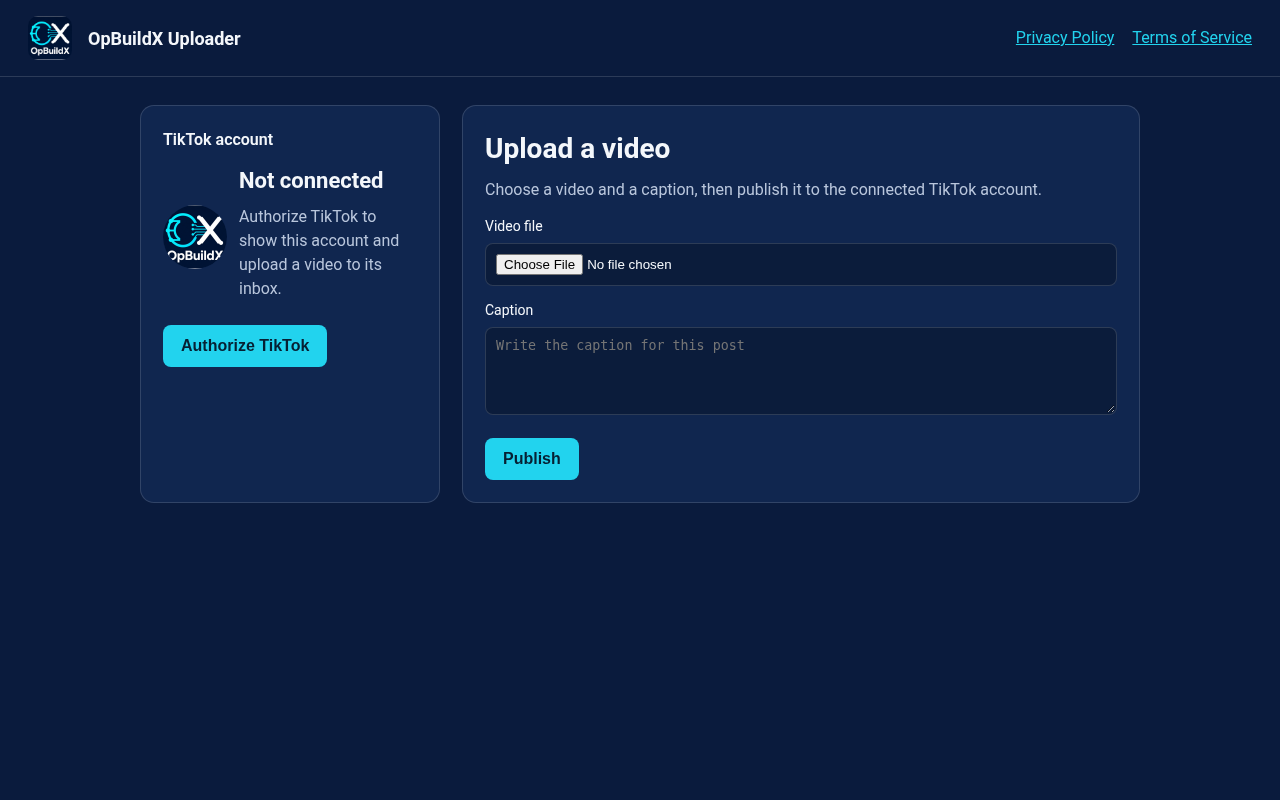
After you connect, the dashboard shows the display name and avatar of the connected account, so you always know where a video will go.
Upload from your dashboard
Choose a video file from your computer. The dashboard takes only the video; you add the caption later in the TikTok app.
Send to your TikTok account
Click Send to TikTok inbox and the video is sent to your own TikTok inbox through TikTok’s Content Posting API. You add your caption and finish the post in the TikTok app. TikTok reports the status back to the dashboard.
Short and long-form video
Send short clips and longer videos from the same place, within the maximum video length TikTok allows for your account.
Disconnect any time
Remove access in TikTok’s settings whenever you want, and email us to delete the copies we still hold.
The upload workflow
Every video follows the same short path. Nothing is posted until you start it.
- Open the dashboard. Go to the dashboard and click Authorize TikTok.
- Approve on TikTok. Sign in on TikTok and review the permissions requested. TikTok sends you back to the dashboard.
- Check the account. The dashboard shows the connected account’s name and avatar.
- Choose a video. Pick the video file you want to send.
- Click Send to TikTok inbox. The video is uploaded to the connected account’s TikTok inbox, and the dashboard shows the result TikTok returns.
- Finish in TikTok. Open the TikTok app, follow the inbox notification, add your caption, and complete the post so it appears on your account.
OpBuildX Uploader does not offer a scheduling calendar or a queue for later posting in the dashboard. Each video is sent when you click Send to TikTok inbox.
TikTok permissions
| Permission | What it is used for |
|---|---|
user.info.basic | Identify the connected account and show its name and avatar. |
video.upload | Send the video you chose to your own TikTok account’s inbox, where you add your caption and finish the post in the TikTok app. |
Details are in the Privacy Policy.
Screenshots
Security and control
Tokens from TikTok are encrypted before they are stored on our server, and they are only used for the account that granted them. We never post to an account you haven’t connected, and we never post without your request. We don’t sell your data or use it for advertising.